Shamir restore
Description
Use this workflow to restore a Shamir-protected backup bundle. The appliance validates metadata, share files, archive integrity, and staged payloads before applying any runtime change.
| The appliance must reconstruct the correct bundle secret from the selected shares. If the metadata HMAC fails, stop the restore and verify the archive, metadata, HMAC sidecar, and selected custodians. |
Restore workflow
Use the workflow as five operator phases.
Each phase must complete before the appliance can reach Apply.
1. Select and stage restore material
-
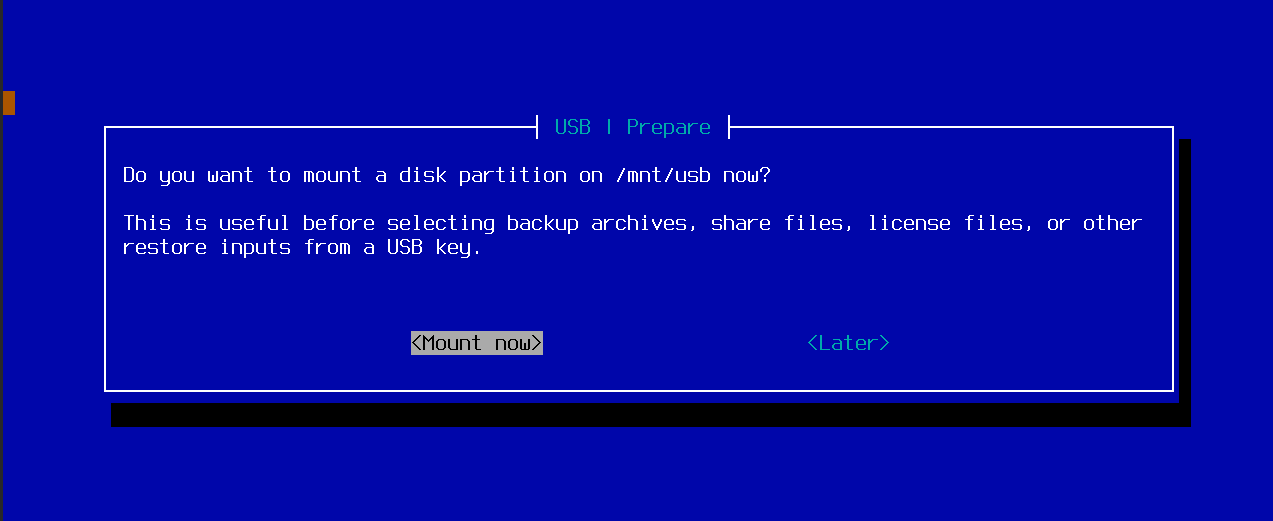
Mount USB media when the restore inputs are on removable storage.
-
Choose
BUNDLEin the restore wizard.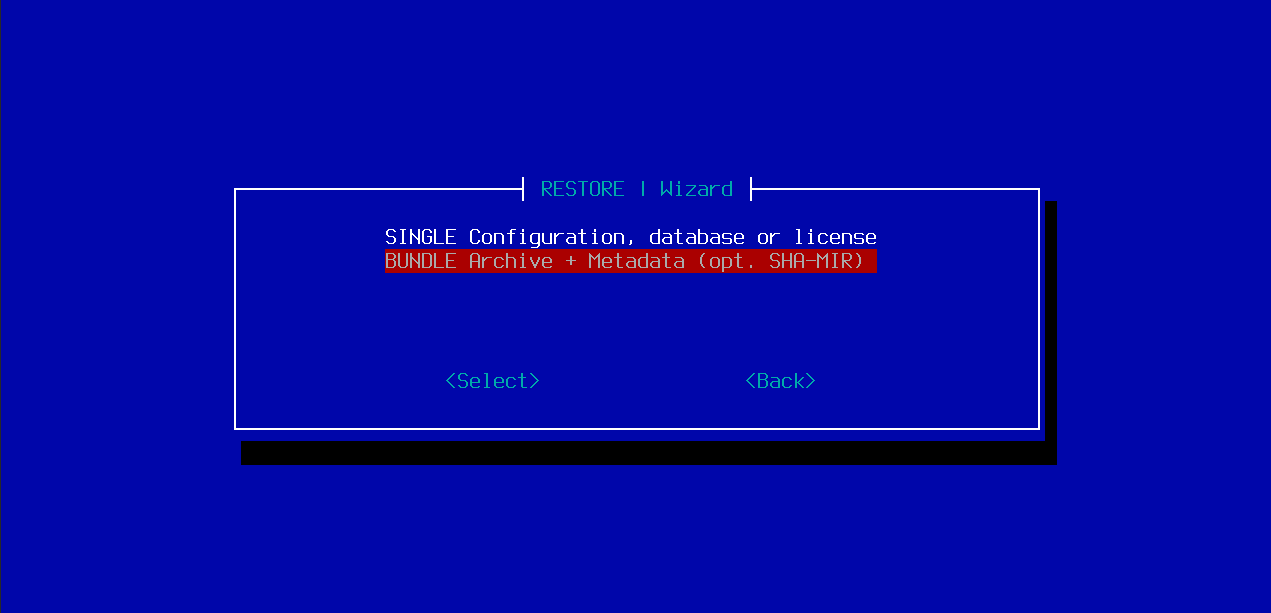
-
Select the
.encarchive, then confirm the matching.metadata.jsonfile and.metadata.json.hmacsidecar.The appliance stages USB-selected files locally and checks that staged size and SHA-256 values match the source files.
2. Validate archive metadata
Before share selection, the appliance verifies:
-
The metadata format is supported by Stream Offline CA
-
The metadata archive name matches the selected
.encarchive -
The archive SHA-256 hash matches metadata
-
The selected archive is marked as
shamir -
secret-share-combineis available -
The Shamir parameters are coherent: threshold at least
2, share count greater than or equal to threshold, PBKDF2 iterations at least10000, cipher and digest present, and unique share paths and hashes in the manifest -
Password-protected shares contain a valid
password_kdf,password_salt,password_cost, andpassword_verifier
3. Select shares and authenticate metadata
-
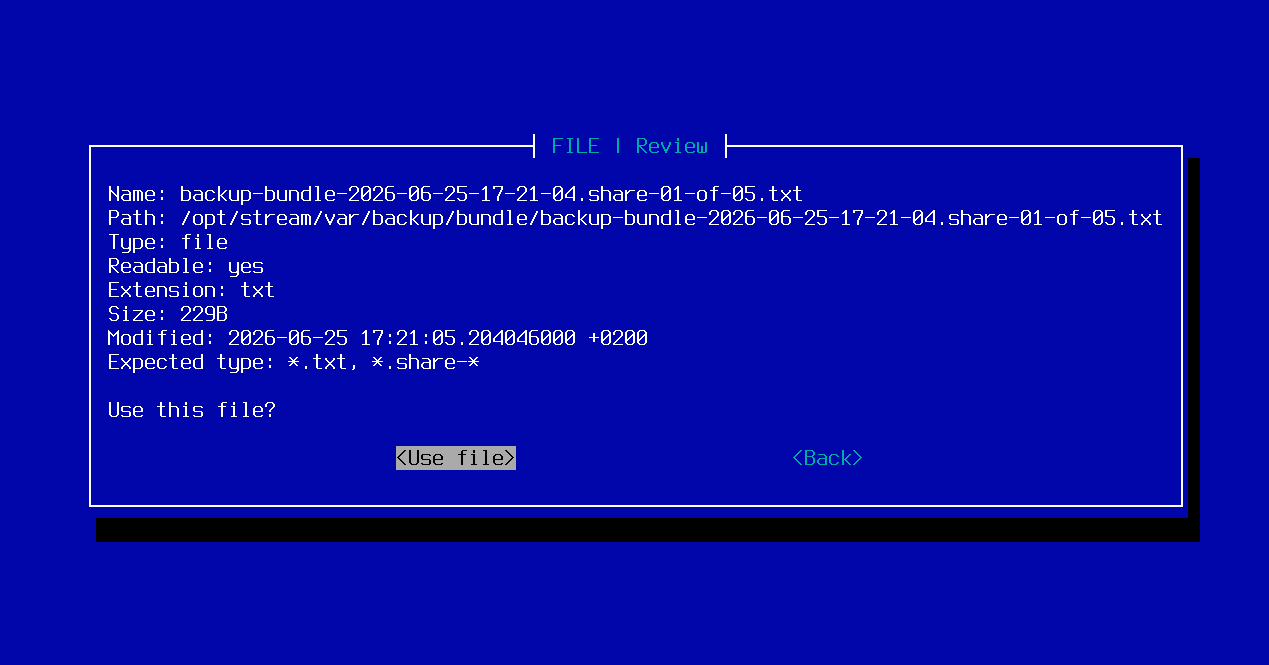
Select the required share files from approved custodian media.
-
Let the appliance stage and hash each share before selecting the next one.
When the backup metadata indicates per-share password protection, the appliance requests the password associated with the selected filename after the encrypted-file hash has matched. It recalculates that share’s
password_verifierusing the metadatapassword_kdf,password_salt, andpassword_costbefore attempting decryption. It then decrypts the share into private local staging and checks the expected decrypted-content hash before counting the share toward the threshold.
An empty or incorrect password rejects that share and returns to share selection. The rejected attempt does not count toward the threshold. Select a different share or select the same file again with its associated password. The password itself is never written to metadata, logs, the HMAC sidecar, or the Recovery Kit. A verifier cannot recover a lost password.
The same share cannot be counted twice toward the threshold.
+ image::restore-share-duplicate-warning.png[Duplicate Shamir share warning,width=820]
-
The appliance reconstructs the bundle secret and verifies the metadata HMAC.
If HMAC verification fails, stop the restore: the metadata was modified or the selected shares reconstruct the wrong secret.
4. Decrypt and stage payloads
After authentication succeeds, the appliance:
-
Decrypts the
.encarchive to a temporary.tar.gzbundle -
Verifies the decrypted plaintext hash against metadata
-
Extracts the bundle into the restore staging area
-
Verifies every payload hash against metadata
-
Resolves the restore payloads: encrypted Stream archive, configuration archive, database archive, and optional license
-
Validates the restore payload structure
When a protected Stream archive is present inside the bundle, the appliance prepares the restore password context and verifies metadata authentication for that payload. When a license is present, the appliance validates it before restore; if it is not valid for the restored runtime, select a replacement license or skip license restore according to the approved operation decision.
5. Review and apply
-
Review the restore summary.
-
Confirm
Applyonly when the archive, metadata, shares, license decision, CA identity, and HSM state match the recovery kit. -
The appliance writes a pre-apply restore snapshot without passwords or Shamir share values.
-
The pre-apply gate checks staged payloads before any Stream runtime change is applied.
-
The appliance stops Stream as needed, applies configuration and database material, applies the selected license when present, runs runtime recovery, and reports completion.
Validation gates
|
All validation gates run before the final apply step. If a gate fails, no restore should be considered valid until the failing input has been replaced or the operation is formally cancelled. |
| Validation gate | What is checked | Failure outcome |
|---|---|---|
Archive and metadata |
|
Restore is blocked before extraction. |
Share manifest |
|
Restore is blocked before share reconstruction. |
Share selection |
Each selected share is:
|
The same share cannot be selected multiple times. The workflow rejects a wrong-password share and asks for another selection until the threshold is met or the operator cancels. |
Metadata HMAC |
Detached metadata authentication with the reconstructed Shamir secret. |
Restore is blocked because metadata or shares cannot be trusted. |
Plaintext bundle |
Decrypted bundle SHA-256 equals the metadata |
Restore is blocked before payload extraction is trusted. |
Payload integrity |
Every extracted payload file matches the metadata payload hash. |
Restore is blocked before runtime changes. |
Pre-apply gate |
Restore inputs are staged and internally consistent. |
Restore is blocked with no runtime change applied. |
Share media handling
Shamir shares may be provided on separate USB keys or USB disks. When a selected share comes from the managed USB mountpoint, the appliance stages it locally and can unmount the media before the next share is selected. After the threshold number of shares is staged, the appliance unmounts the share media before continuing with reconstruction and decrypt.
|
Do not copy all custodians' shares into one uncontrolled location before restore. Let the appliance stage each selected share, verify it against metadata, reject duplicates, and unmount media as part of the workflow. |