Revoke a CA
Description
Use this procedure when an existing CA must be revoked from the offline trust chain. The appliance is restored first, then Stream is used to apply the revocation, generate updated revocation material, export files, and back up the new state.
|
Revoking a CA can invalidate all certificates below that CA in the trust chain. Confirm the target CA identity, serial number, issuer, and revocation reason before applying the operation. |
Pre-requisites
-
Approved revocation decision
-
Restored and validated signing CA state
-
Target CA certificate details
-
Approved revocation reason
-
Export media
-
Backup media.
Operation inputs and outputs
| Item | Expected value | Reference |
|---|---|---|
Revocation decision |
|
|
Signing CA state |
Restored CA state validated before the revocation is applied. |
|
Revocation material |
New ARL/CRL generated after revocation. |
|
Exported files |
Downloaded ARL/CRL moved to removable media and inspected with |
|
Backup |
Post-revocation backup containing the updated CA and CRL state. |
Procedure
-
Restore and validate the appliance.
-
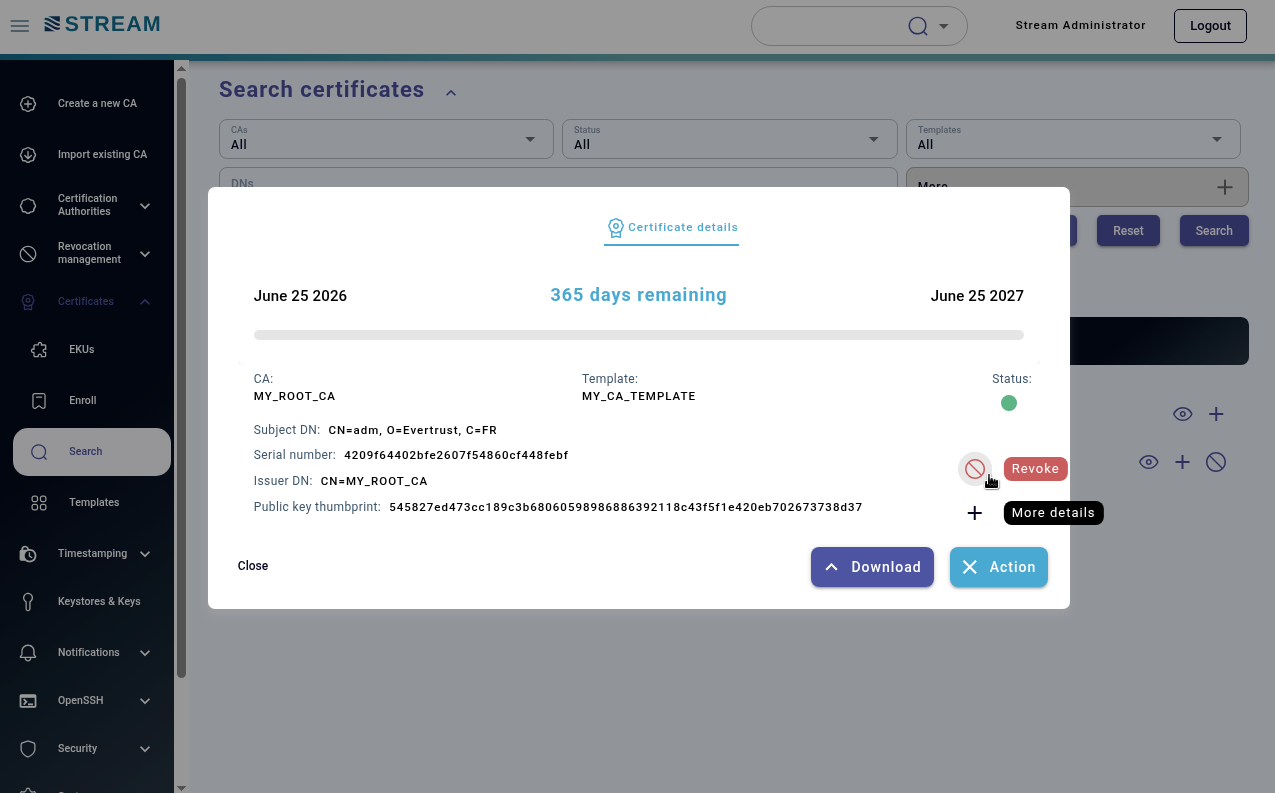
In Stream, identify the CA to revoke.
-
Confirm the CA certificate subject, issuer, serial number, and trust-chain position.
-
Select
Action > Revokefor the approved CA certificate.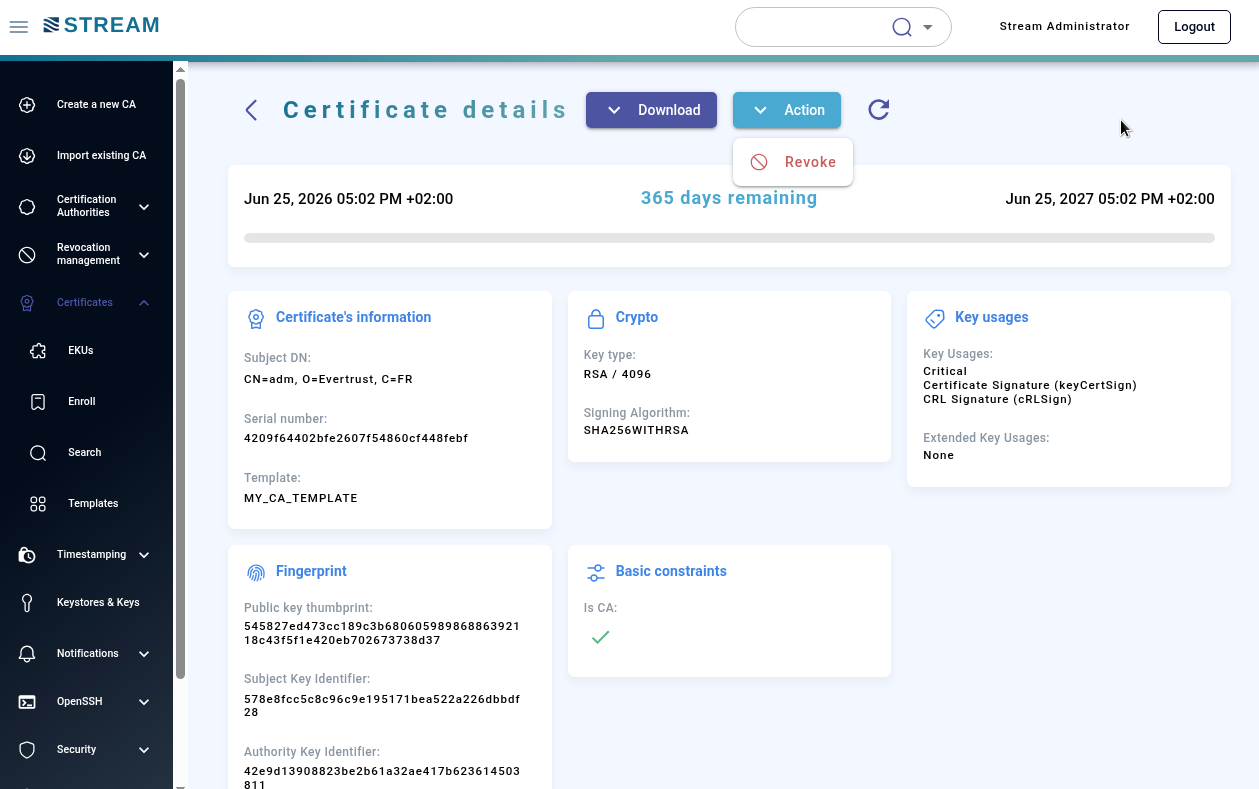
-
Apply the approved revocation in Stream.
-
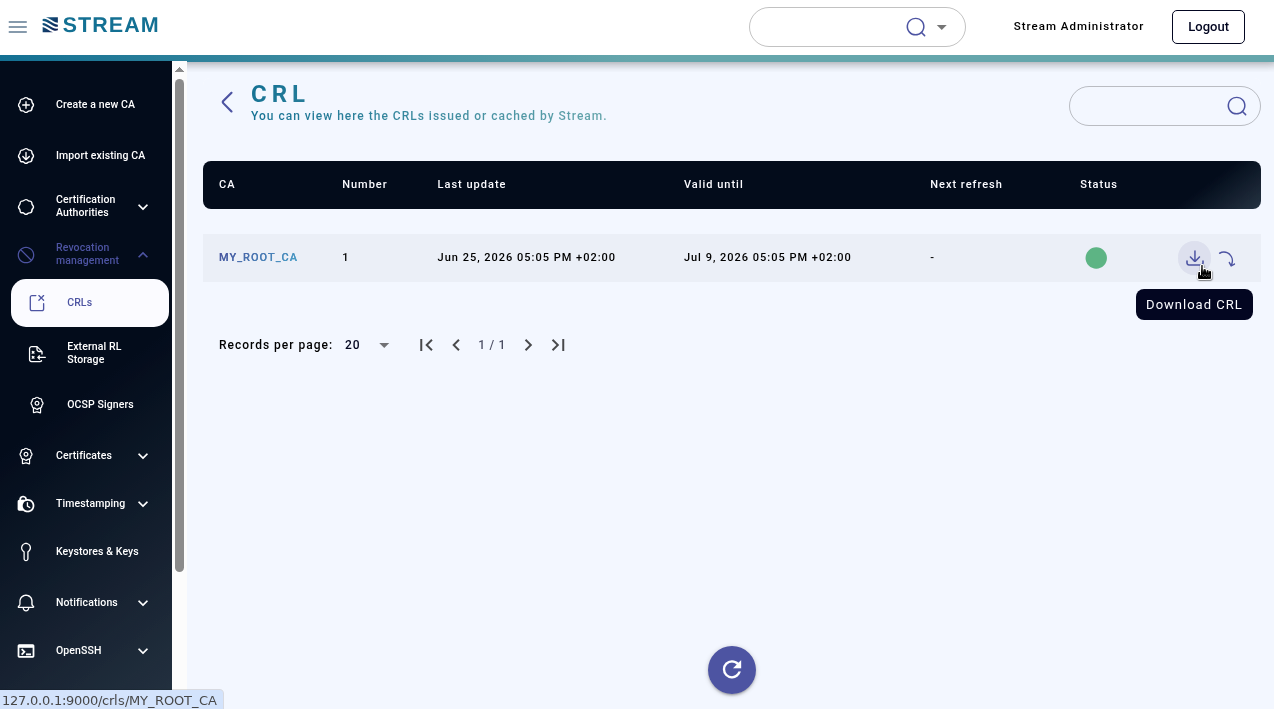
Generate a new ARL/CRL for the issuing CA.
-
Download the new ARL/CRL.
-
Use
EXPORT > CRLSto move it to removable media.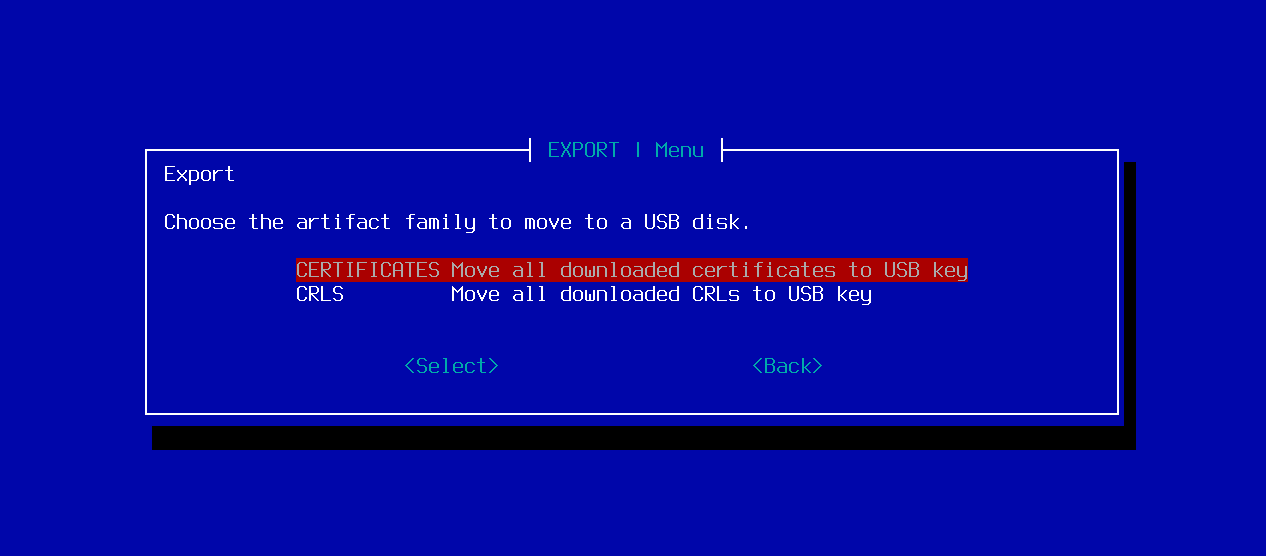
-
Use
CHECK > CRLsto verify that the revoked CA appears as expected.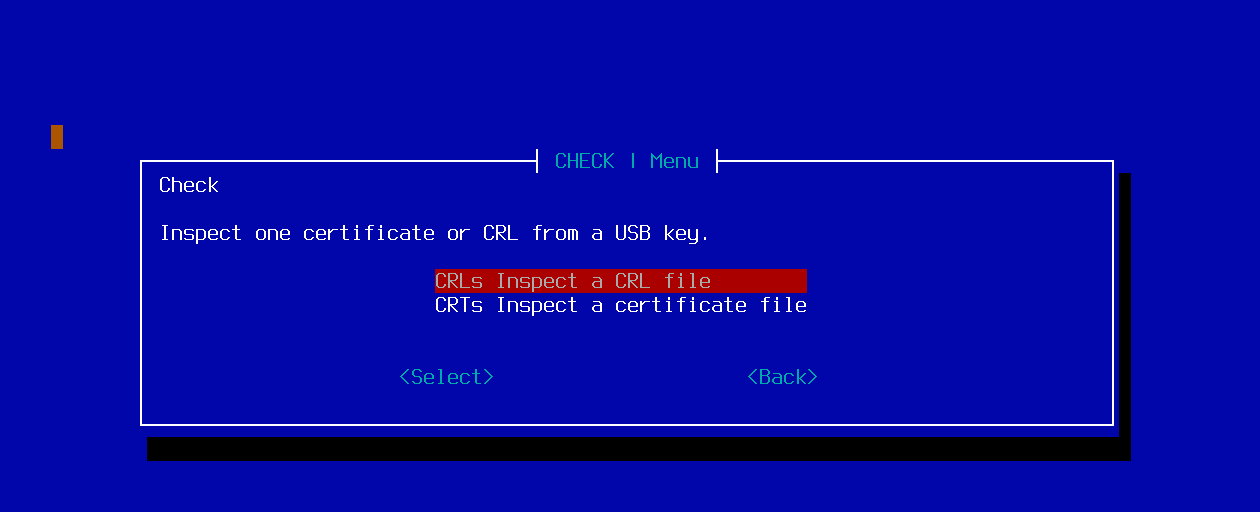
-
Record the revocation reason, timestamp, serial number, filename, size, and SHA-256 hash.
-
Run
BACKUPbefore shutdown.
Verification
Verify that:
-
The revoked CA serial number is the expected one
-
The revocation reason matches the approved decision
-
The new ARL/CRL was generated by the expected issuing CA
-
CHECK > CRLsdisplays the expected revoked entry -
The exported file hash is recorded
-
The post-operation backup completed successfully.