Create CA material
Description
Use these steps after Stream is running and the approved keystore is available. Record only non-secret identifiers, filenames, and hashes.
| Do not create CA material until the approved keystore, CA policy values, license, and backup media are ready. |
Create CA keys
-
In Stream, open Keystores and keys.
-
Select the operation keystore.
-
Generate or import the CA key according to the approved CA policy.
-
Record the non-secret key label, key type, key size or curve, and keystore name.
-
Verify that the key is visible in Stream.
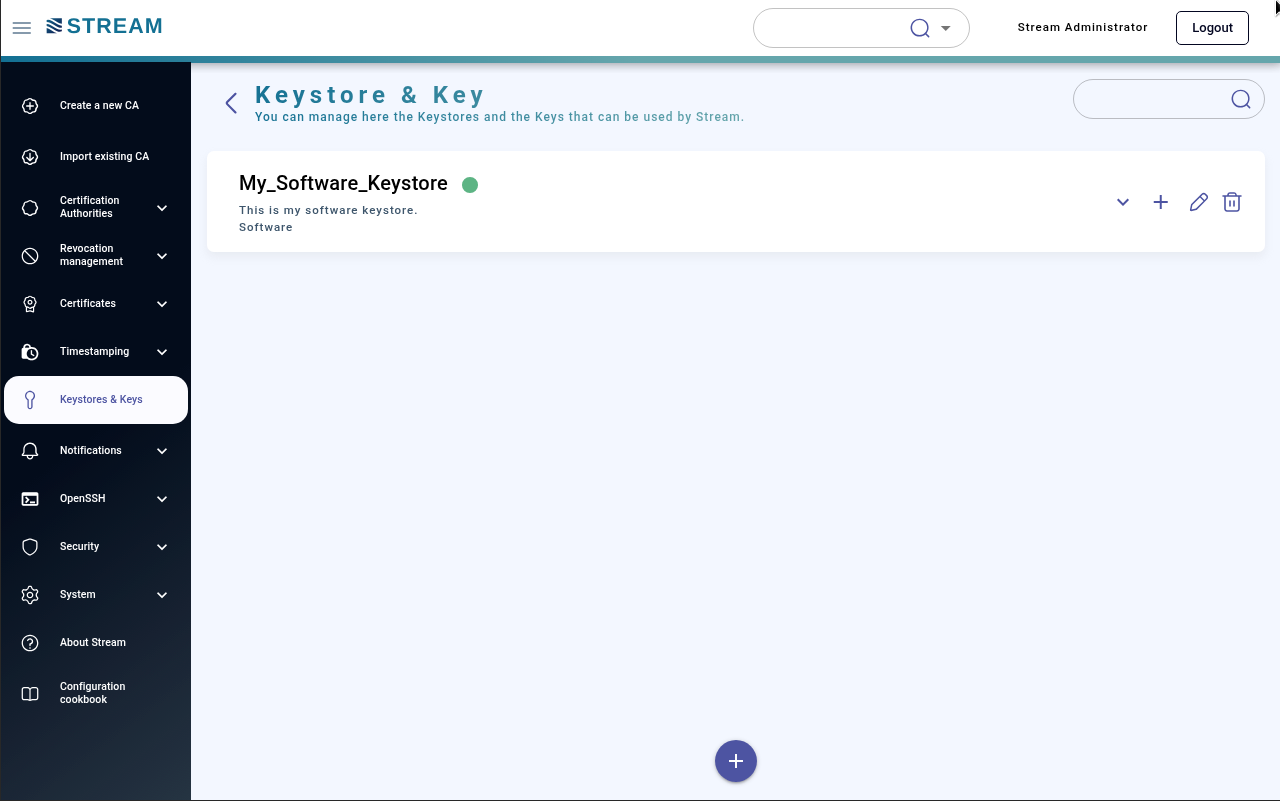
For a software-keystore ceremony, confirm that the keystore is already available before creating or importing the CA key.
Create a root CA
-
In Stream, open Create a new CA.
-
Enter the approved technical name and description.
-
Enter the approved Distinguished Name values.
-
Select the approved keystore and key.
-
Select
Selfsigned. -
Select the approved hash algorithm, validity, backdate, and path length.
-
Review the values.
-
Issue and save the CA.
-
Verify that the CA appears as a managed CA.
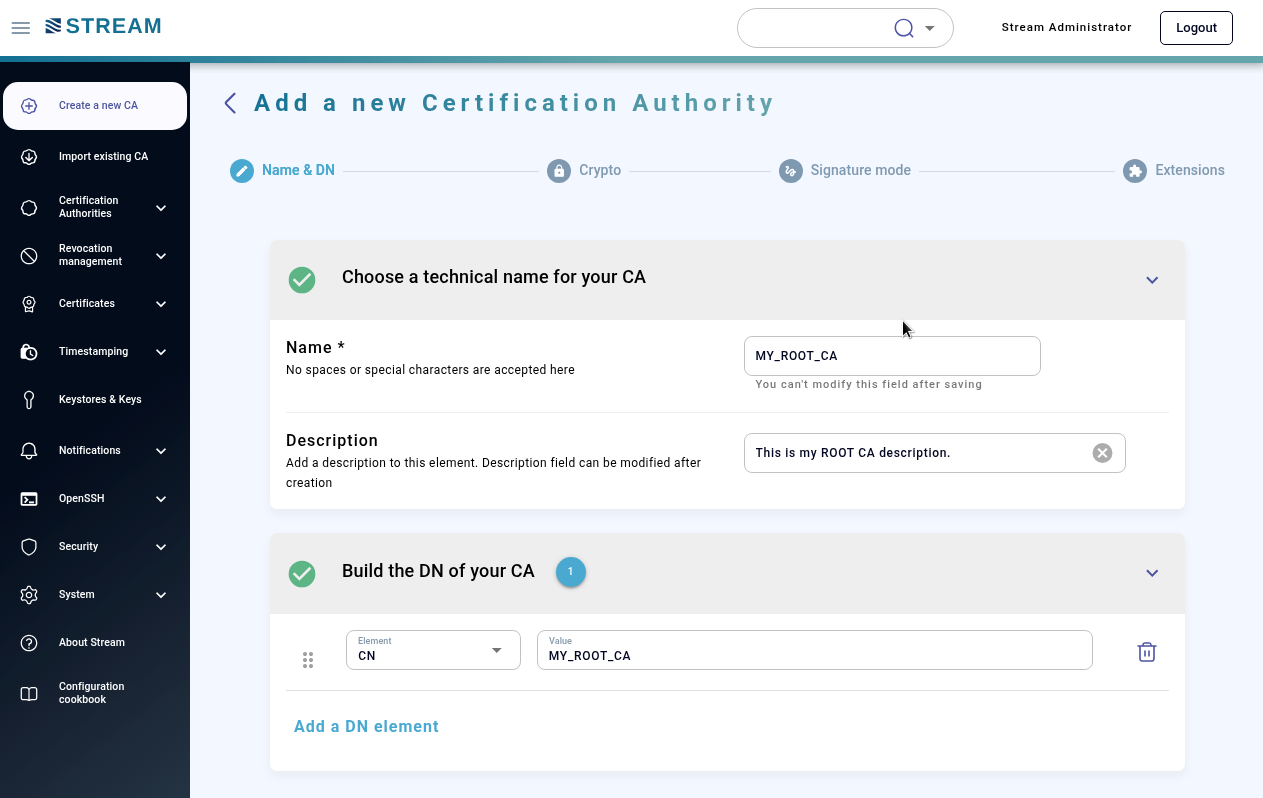
The first CA creation screen is the checkpoint for the immutable technical name and the non-secret CA description.
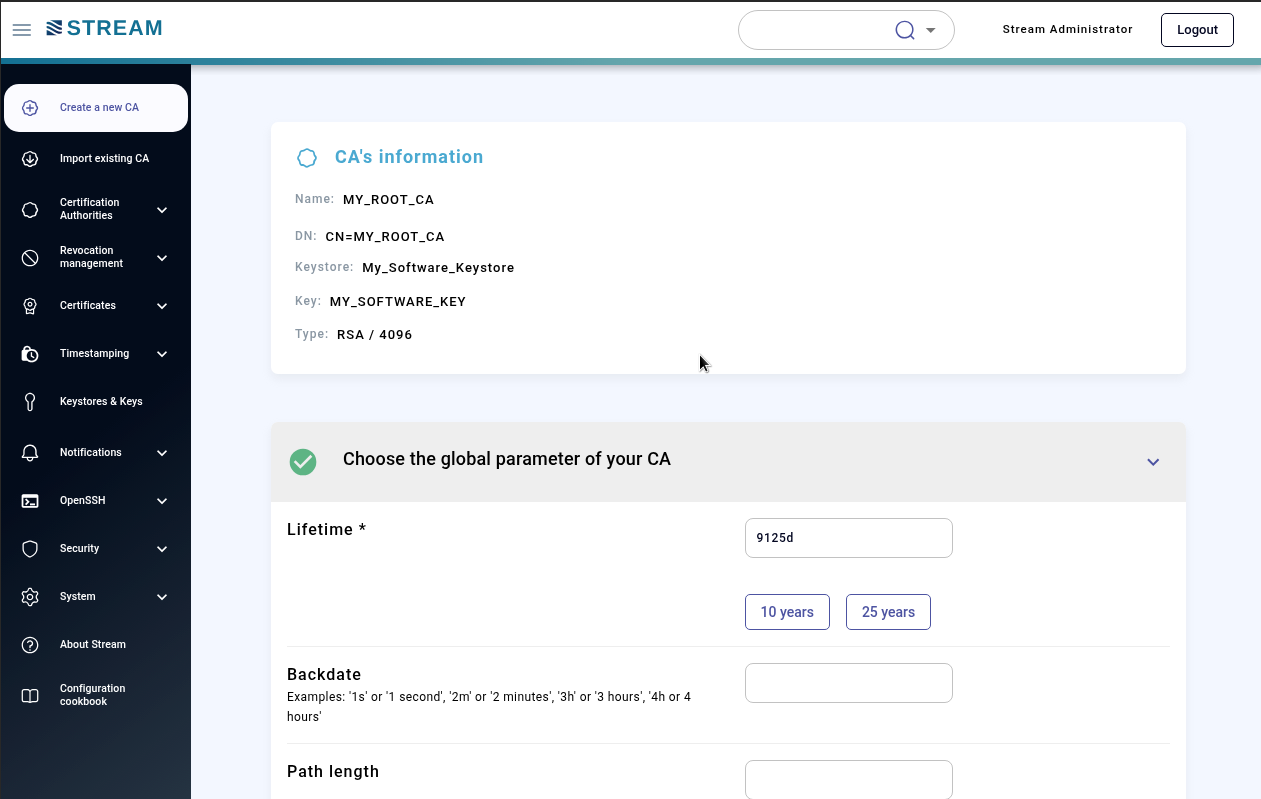
The global parameter screen is the checkpoint for validity, backdate, and path-length values before the CA is issued.
Create a subordinate CA request
Use this procedure when the appliance must generate a subordinate CA key and CSR for external signing.
-
In Stream, open Create a new CA.
-
Enter the approved technical name, description, and Distinguished Name values.
-
Select the approved keystore and key.
-
Select
Signed with an external CA. -
Generate the CSR.
-
Export the CSR to approved removable media.
-
Record the CSR filename and SHA-256 hash.
-
After the CSR is signed, import the issued CA certificate into Stream.
Generate the first ARL or CRL
-
In Stream, open the managed CA CRL/OCSP settings.
-
Configure the approved validity period.
-
Save the policy.
-
Generate the first ARL or CRL.
-
Download the generated file.
-
On the operator console, use
EXPORT > CRLSto move the file to removable media. -
Use
CHECK > CRLsto inspect the exported file. -
Record issuer, next update, CRL number, revoked entry count, filename, and SHA-256 hash.
Operation value checklist
Use this checklist to prepare Stream values before the operator enters them in the UI. It also defines the non-secret records expected in the ceremony report.
| Operation | Values to prepare | Records to keep |
|---|---|---|
CA key generation |
|
|
Root CA creation |
|
|
Subordinate CA request |
|
|
Issued subordinate import |
|
|
ARL or CRL generation |
|
|
Technical review before backup
Before leaving Stream and returning to the operator console:
-
Confirm that each created CA is in the expected state.
-
Confirm that key material is associated with the approved keystore.
-
Download public certificates, CSRs, CRLs, or ARLs required by the operation.
-
Use
EXPORTto move downloaded public artifacts to approved media. -
Use
CHECKto inspect exported certificates or CRLs from media. -
Record hashes for exported public artifacts.
-
Run
BACKUPbefore shutdown.