Restore backup material
Description
Use restore workflows to recover Stream Offline CA state from single artifacts or self-contained backup bundles. For appliance boot and workflow selection, see Restore an existing Stream Offline CA appliance.
| Verify the backup identifier, CA identity, metadata, license source, and HSM state before applying a restore. |
|
Restore input media can be USB keys or USB disks. The appliance mounts the selected media, stages restore inputs locally, verifies staged file size and SHA-256 hash, then unmounts the media when the workflow no longer needs it. The restore workflow must not modify backup files in place on removable media. |
When Stream is already running on the appliance, RESTORE is also available from the main appliance console, next to BACKUP.
Use this entry when a restore must be launched after the appliance has already reached the post-start menu.
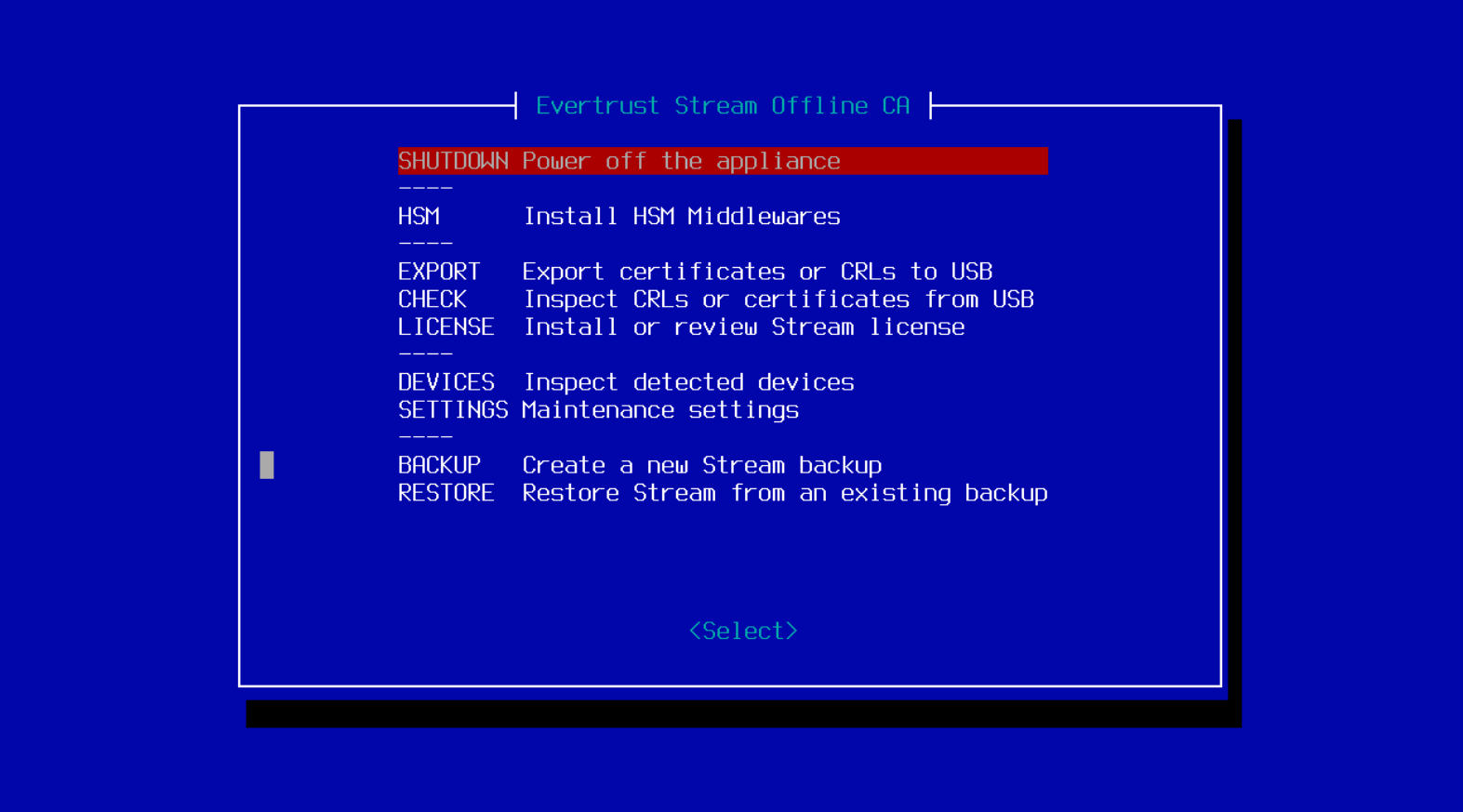
Restore workflow
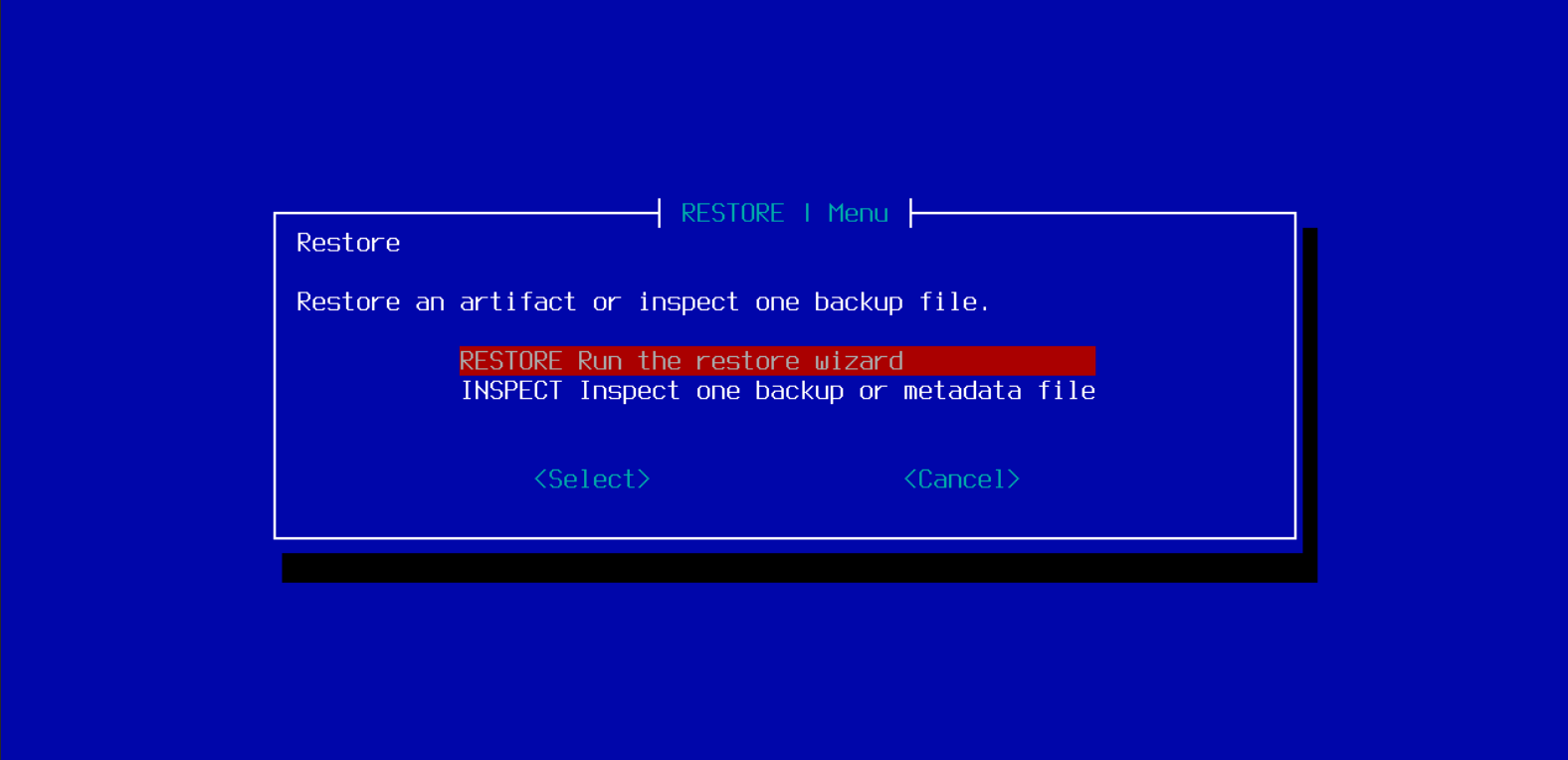
Opening RESTORE displays the restore action menu.
Choose RESTORE to run the restore wizard, or INSPECT to read one backup or metadata file without changing the runtime.
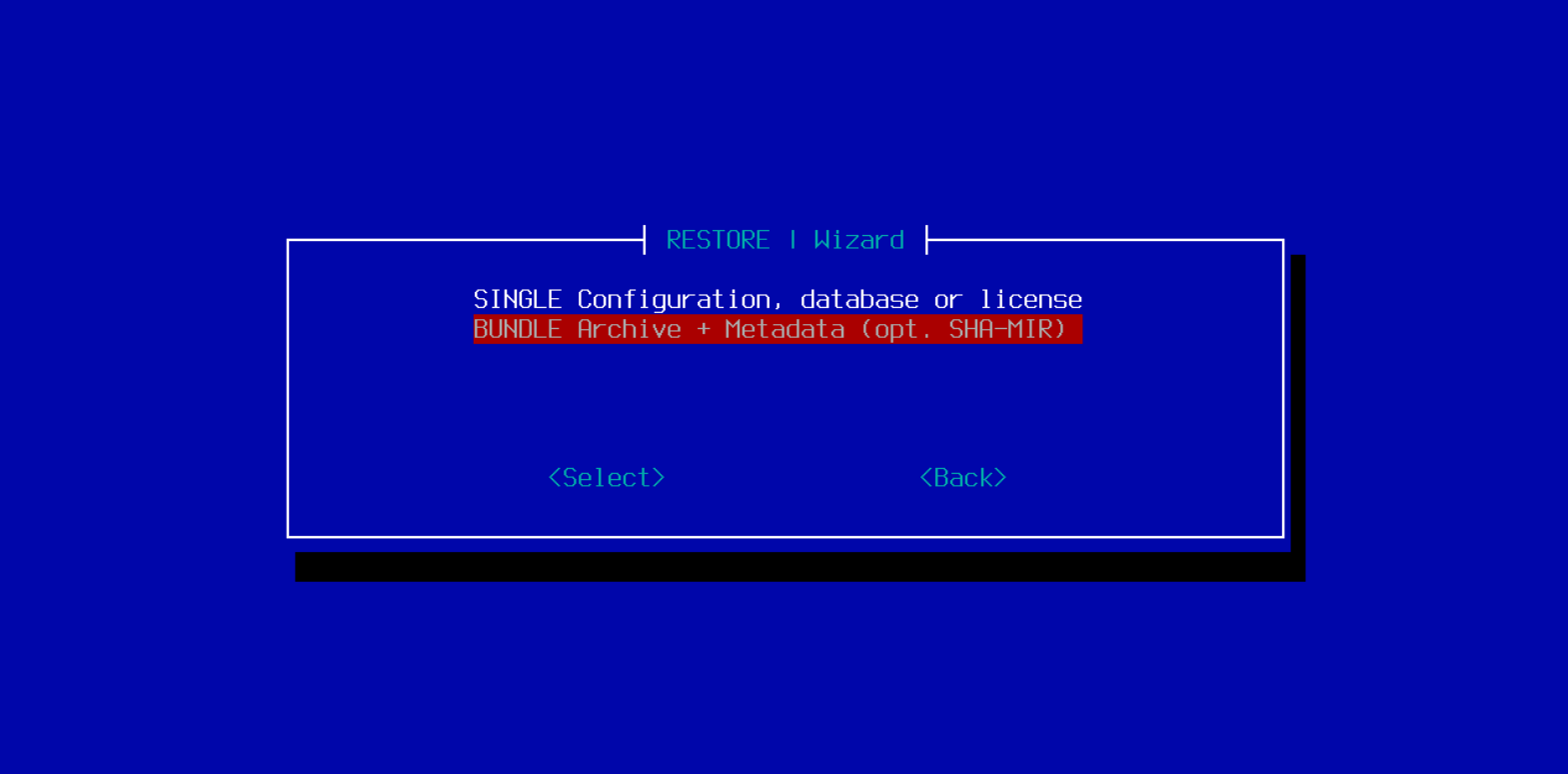
The restore wizard then asks whether the operator wants to restore a single artifact or a bundle.
-
Single restore
-
Bundle restore
-
Prepare the runtime.
-
Boot the approved Live USB.
-
Select
Restore. -
Install required HSM middleware when the restored CA uses an HSM.
-
Select and apply the artifact.
-
Open
RESTORE. -
Choose
SINGLE. -
Select the configuration, database, or license artifact.
-
Review the restore summary.
-
Apply the restore.
-
Validate the restored state.
-
Wait for Stream Offline CA to restart Stream and synchronize runtime settings.
-
Validate Stream UI, CA objects, keystores, license, and exported files.
-
Run a fresh backup before shutdown if the restore was followed by any operation.
-
Prepare the runtime.
-
Boot the approved Live USB.
-
Select
Restore. -
Install required HSM middleware when the restored CA uses an HSM.
-
Select and validate the bundle.
-
Open
RESTORE. -
Choose
BUNDLE. -
Select the bundle archive. Plain and password bundles use
.tar.gz; Shamir bundles use.enc.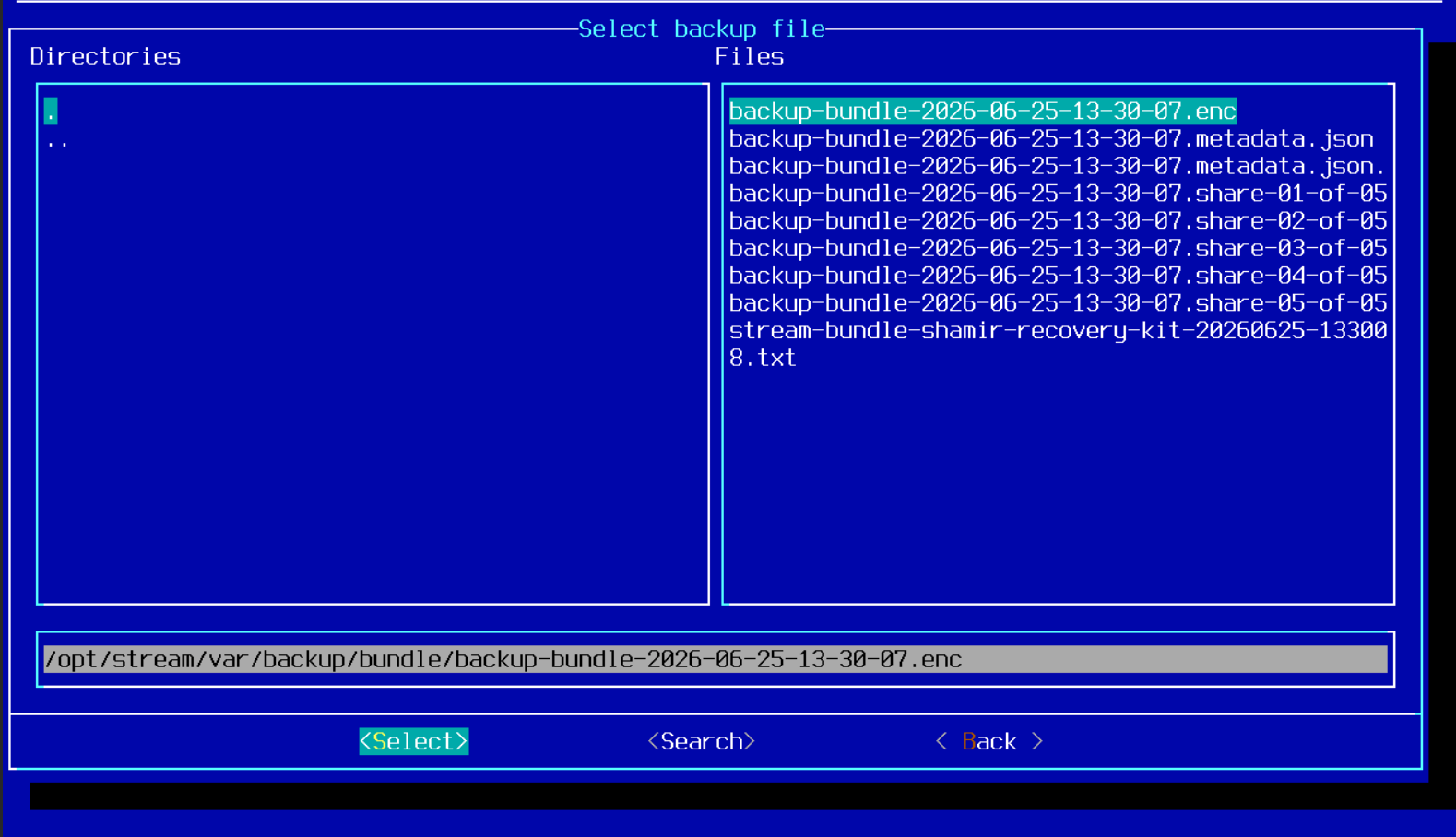
-
Select the matching
.metadata.jsonfile when it is not found automatically next to the archive. -
For protected bundles, make sure the
.metadata.json.hmacsidecar is present with the metadata. When metadata is selected from USB media, the appliance stages the metadata and its.metadata.json.hmacsidecar together before validation. -
When the bundle is Shamir-protected, select the required share files.
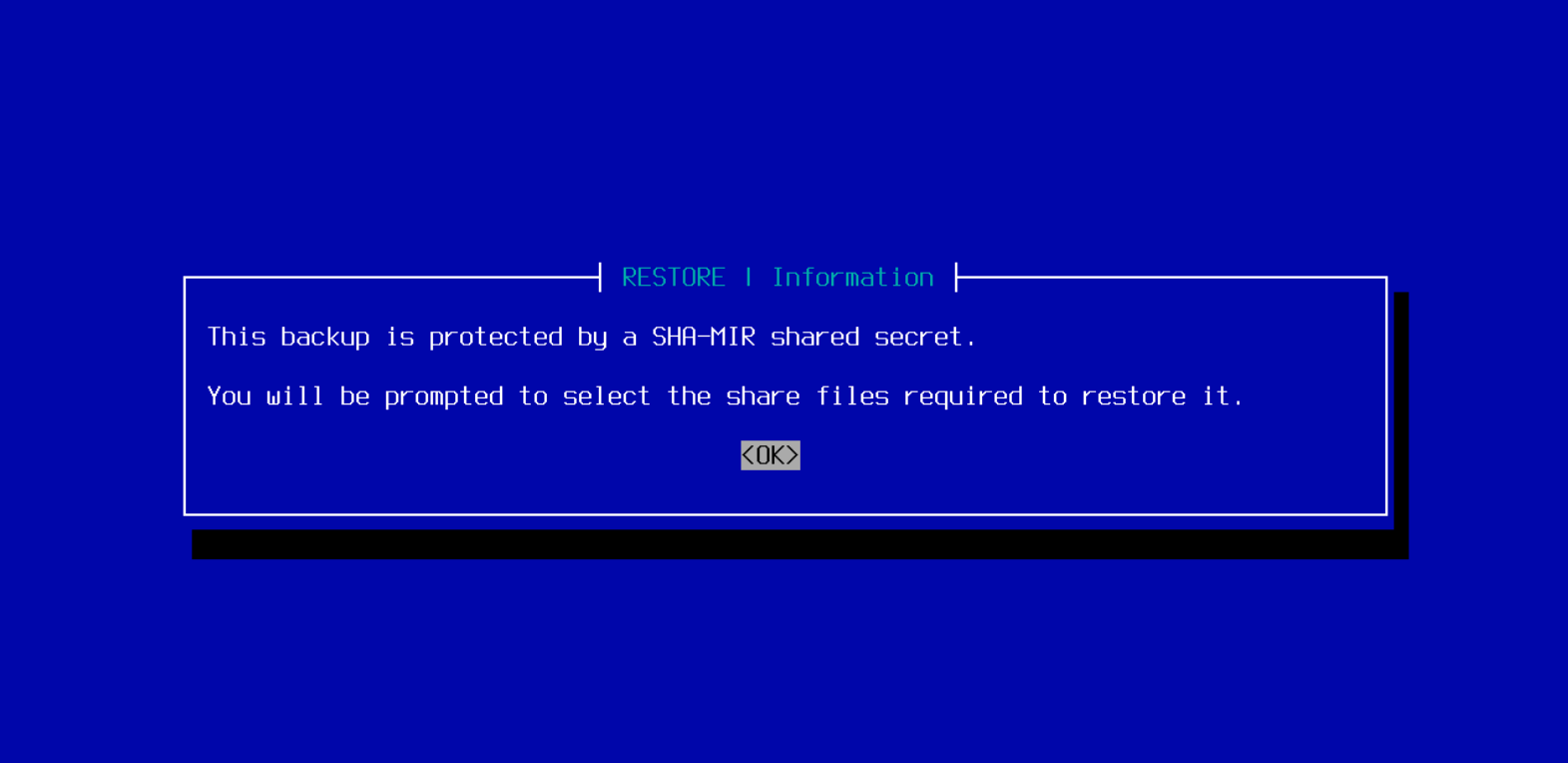
If the metadata indicates per-share password protection, enter the password
associated with each selected share when prompted. The appliance verifies the
encrypted share hash before asking for the password, then checks the decrypted
share content before counting it toward the threshold. The verifier is
recalculated from the metadata password_kdf, password_salt, and
password_cost before decryption. A wrong password rejects that share and asks
for another selection; it does not start the restore and it does not count
toward the threshold. A lost password cannot be recovered from its verifier.
-
When the backup contains a license, let the appliance validate it or select a replacement license when validation requires it.
-
Apply and validate.
-
Review the restore summary and file characteristics.
-
Apply the restore.
-
Wait for Stream Offline CA to restart Stream, recover runtime settings, synchronize credentials, and update the kiosk context.
-
Validate Stream UI, CA objects, keystores, license, and exported files.
-
Run a fresh backup before shutdown if the restore was followed by any operation.
Supported restore inputs
| Workflow | Input | Expected companion files | Primary validation |
|---|---|---|---|
|
stream-configuration-*.tar.gz |
Optional administrator-password recovery sidecar generated with the same timestamp. |
|
|
stream-db-*.gz |
Optional administrator-password recovery sidecar generated with the same timestamp. |
|
|
stream-license-*.lic |
None required. |
|
|
backup-bundle-*.tar.gz or backup-bundle-*.enc |
|
|
|
|
Optional matching metadata when available. |
Read-only inspection. No runtime change is applied. |
Restore validation sequence
Restore is a gated workflow. The appliance stops before changing Stream runtime state unless every gate passes.
| Gate | Appliance check | Stop if |
|---|---|---|
Stage input files |
Copies USB-selected files to local restore staging and compares size plus SHA-256 hash. For bundle metadata selected from USB media, the matching HMAC sidecar is staged with the metadata when present. |
Staging fails or a staged hash differs. |
Match restore type |
Checks |
The selected file does not match the chosen restore mode. |
Trust metadata |
Confirms metadata format, selected archive name, and archive hash. |
Metadata is missing, mismatched, or points to another archive. |
Unlock protection |
|
|
Resolve payloads |
|
An archive member is unsafe, a payload hash fails, or a naming fallback cannot be reconciled with the recovery kit. |
Validate license |
Validates bundled or replacement license material when restore includes a license. |
No valid license is available and the workflow does not explicitly allow skipping license restore. |
Confirm pre-apply state |
Writes the restore snapshot and verifies restore tools, license checks, and staging directory readiness. |
Snapshot creation or the final pre-apply gate fails. |
Apply after review |
Stops |
The service cannot be stopped, or Any item differs from the recovery kit:
|
Restore integrity checklist
| Check | Expected result |
|---|---|
Media handling |
The backup media was mounted only for selection or staging, and unmounted before removal.
No backup file was edited in place on removable media.
Hidden or internal paths, dotfiles, |
Archive and metadata |
The following all refer to the same backup set:
|
License |
Any restored or replacement license:
|
Shamir shares |
For Shamir bundles, each selected share:
|
Pre-apply state |
The pre-apply snapshot was written and the pre-apply gate passed before the operator selected |
Post-restore state |
The restored state matches the recovery kit and operation report:
|
Consistency checks
After restore, confirm that:
-
The restored version and intended CA identity match the recovery kit
-
The Stream database and configuration belong to the same backup set
-
The license is valid
-
The expected keystore type is present
-
HSM-backed keys are accessible only after the HSM is connected and authenticated
-
Generated ARL/CRL and certificate downloads match the expected CA state
-
No unexpected USB media remains mounted.
|
Do not resume CA operations from a restored appliance until these checks have passed. |