New ARL
Description
ARL means Authority Revocation List.
Use this procedure when an existing offline CA must generate fresh revocation material.
In Stream, this operation uses the managed CA CRL/OCSP settings and the appliance EXPORT and CHECK workflows.
Pre-requisites
-
Restored and validated Stream Offline CA state
-
Active Stream UI
-
Access to the managed CA
-
Approved ARL/CRL validity settings
-
Removable media for export
-
Backup media for the post-operation backup.
Operation inputs and outputs
| Item | Expected value | Reference |
|---|---|---|
Managed CA |
Expected CA:
|
|
ARL/CRL policy |
Approved validity period and generation policy. |
|
Generated file |
Downloaded DER or PEM revocation file, exported to approved removable media. |
|
Operation record |
|
Procedure
-
Restore and validate the appliance.
-
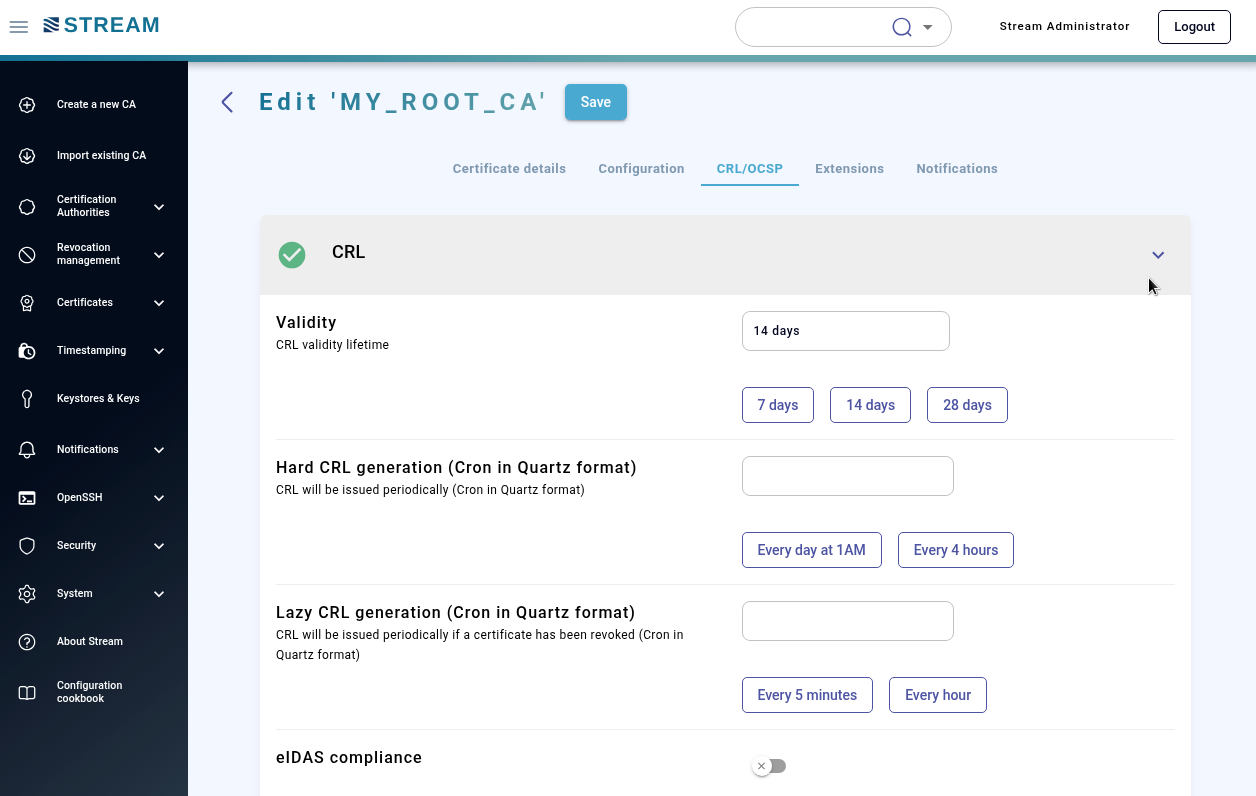
In Stream, open the managed CA CRL/OCSP settings.
-
Confirm the validity period and publication settings.
-
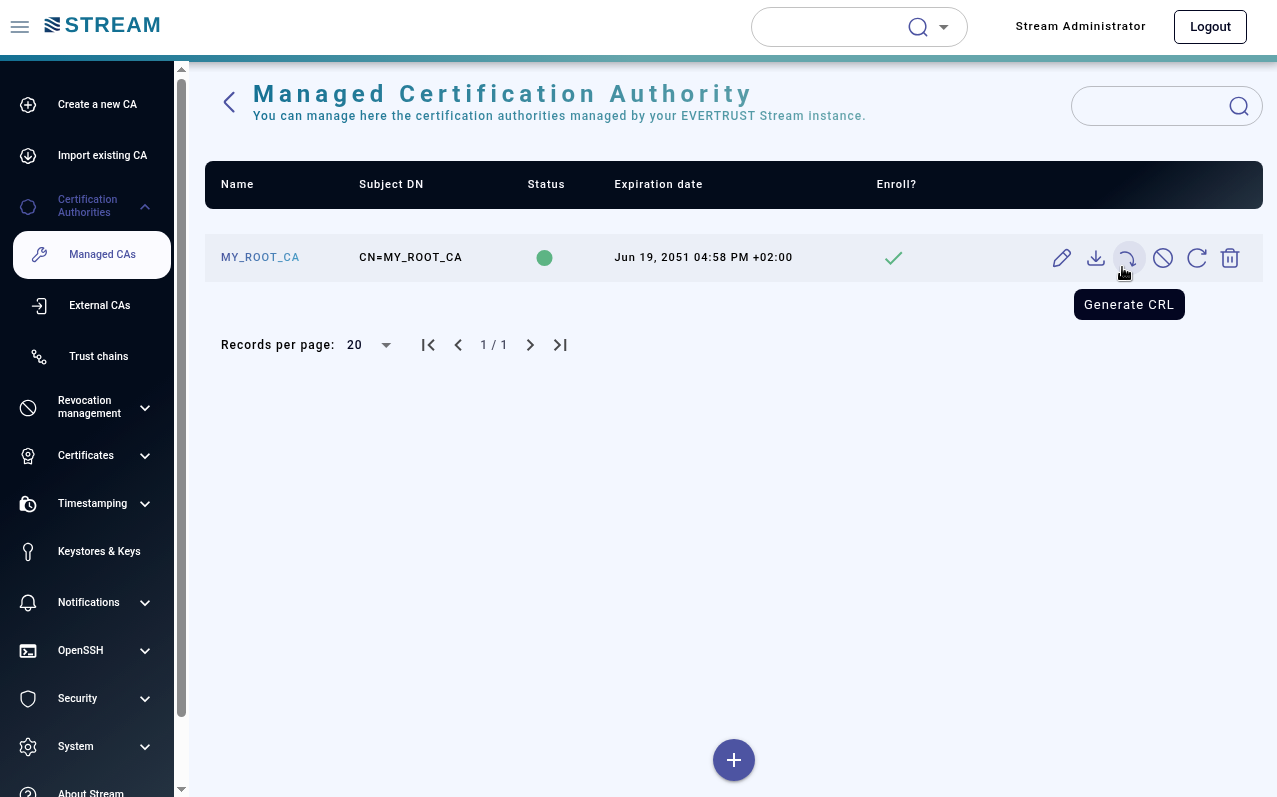
Generate the new ARL/CRL.
-
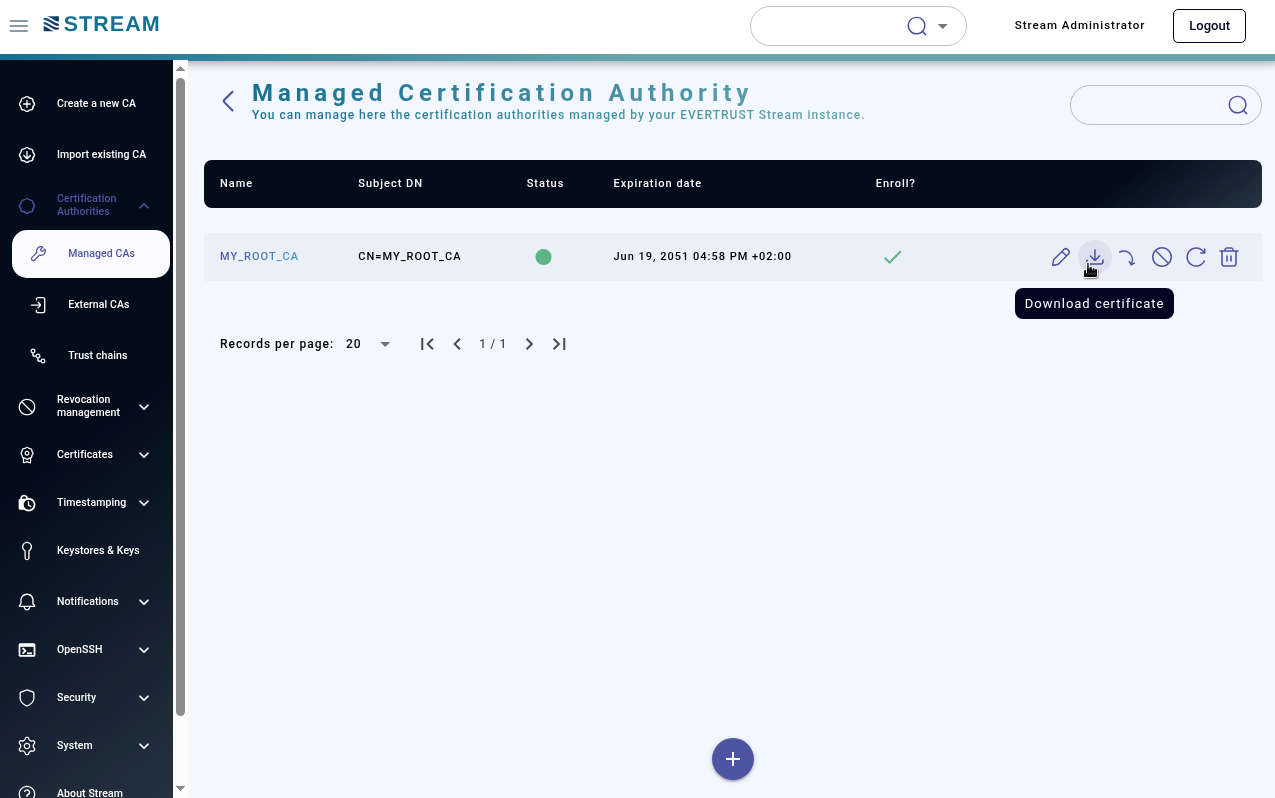
Download the generated file from Stream.
-
On
tty1, useEXPORT > CRLSto move the file to removable media.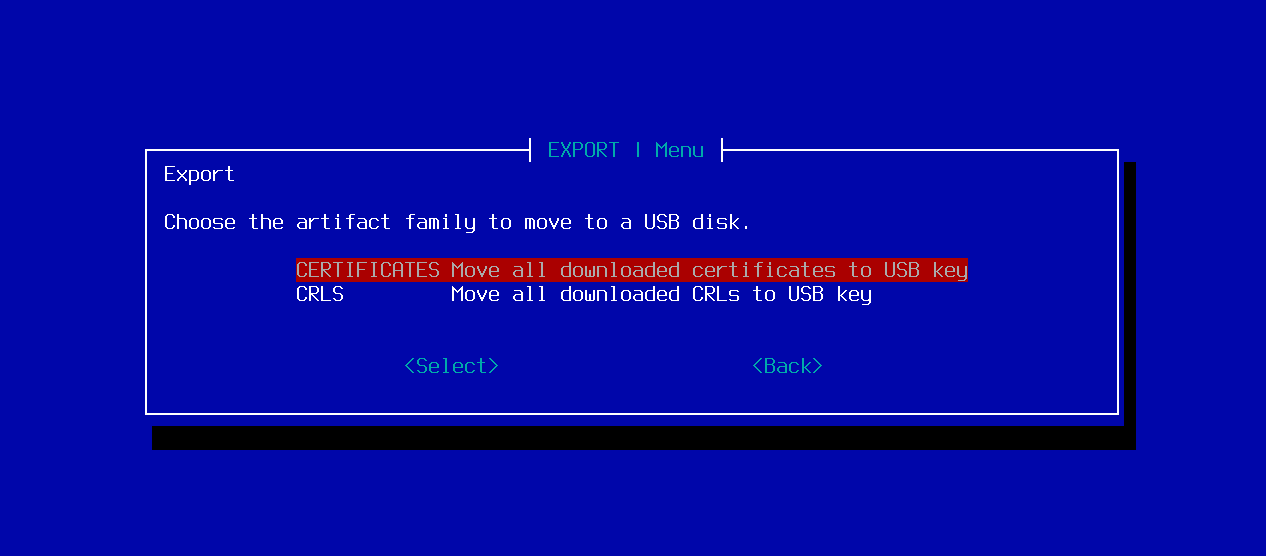
-
Use
CHECK > CRLsto inspect the exported file.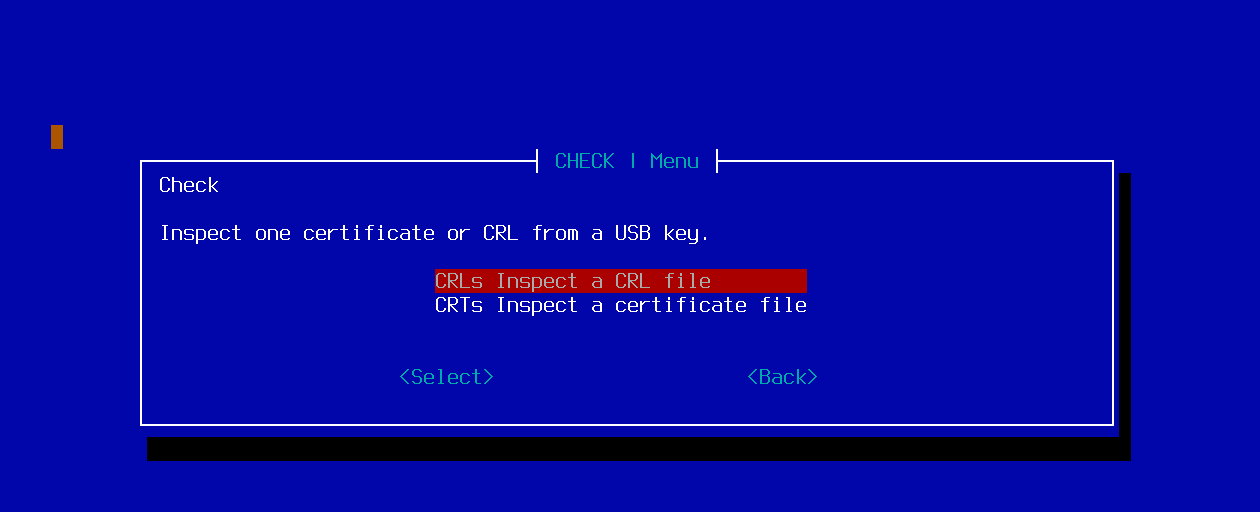
-
Record issuer, next update, CRL number, revoked entry count, filename, size, and SHA-256 hash.
-
Run
BACKUPbefore shutdown.